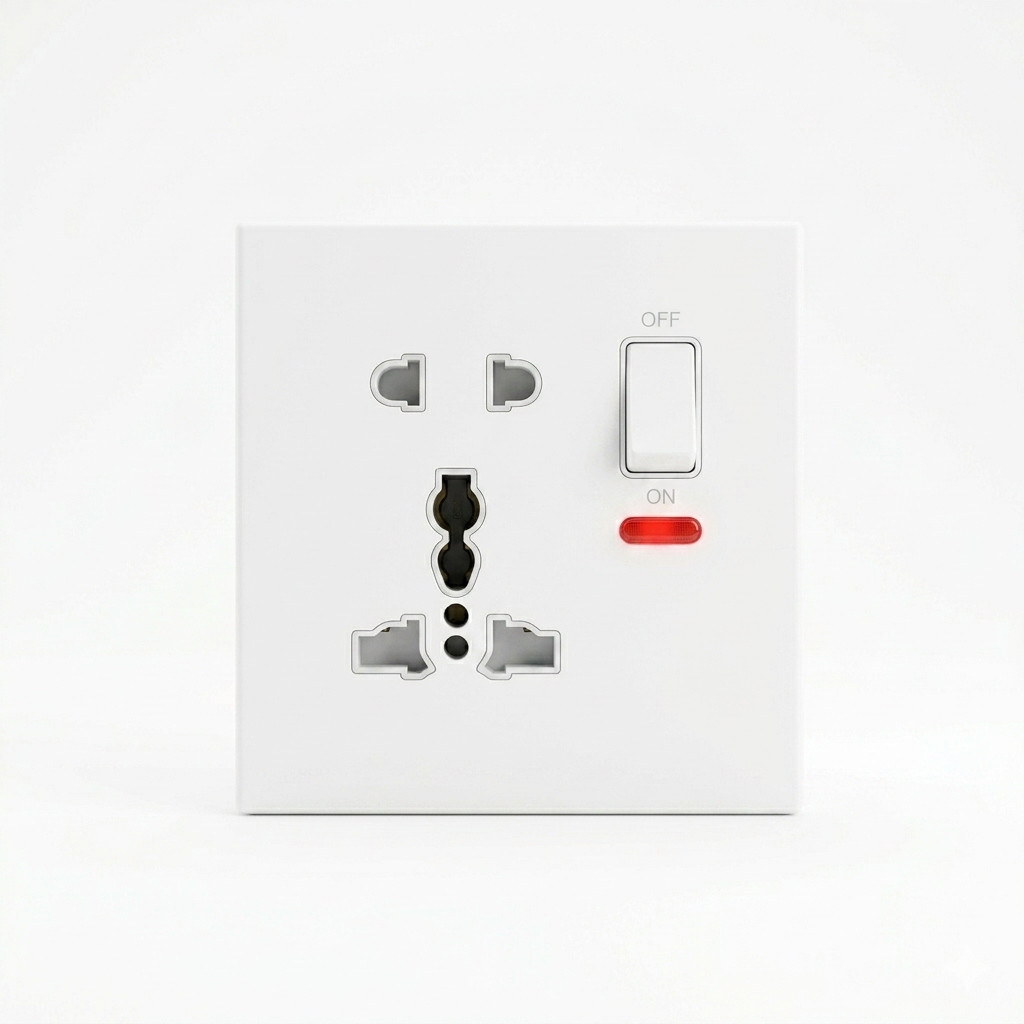


Universal Socket 5 in 1
A Universal Socket (5-in-1) is a versatile electrical accessory designed to accommodate a wide variety of international plug types within a single unit. It eliminates the need for multiple travel adapters by allowing devices with different pin configurations to connect to a single power outlet.
Key Features and Description
-
Multi-Standard Compatibility: The socket face is specially engineered with a unique geometry that accepts multiple plug shapes. It typically supports:
-
Type A/B: The two-pin and three-pin flat blade plugs commonly used in North America, Japan, and parts of Asia.
-
Type C/E/F: The two-pin round-pin "Europlug" used throughout Europe and many other regions.
-
Type G: The three-pin rectangular blade plug standard in the UK, Hong Kong, and Singapore.
-
Type D/M: The large three-pin round-pin plugs found in India and South Africa.
-
Type I: The flat V-shaped pin plugs used in Australia, New Zealand, and China.
-
-
Integrated Design: These units often come as a wall-mounted module (as seen in your image) or a portable power strip, featuring an integrated ON/OFF switch and a neon indicator light to show when the socket is powered.
-
Safety Mechanisms: High-quality universal sockets are designed with internal shutters to prevent the accidental insertion of foreign objects and to ensure that the pins make a secure, firm electrical contact, reducing the risk of overheating.
Important Considerations for Use
-
Voltage Limitation: It is crucial to remember that a universal socket only changes the physical shape of the plug; it does not convert electricity. If you are plugging a 110V device into a 220V power source, you must still use a voltage converter to avoid damaging your equipment.
-
Frequency: Ensure that the device you are connecting is compatible with the local electrical frequency (50Hz or 60Hz), as some appliances are sensitive to this difference.
-
Current Ratings: Always check the maximum amperage rating of the socket to ensure it can safely handle the power requirements of the device you intend to plug in.